


Conversion Rate Optimization has become a buzzword and, like most buzzwords, it is misunderstood. Too many Shopify brands assume that signing up for a shiny app will fix a failing intra site funnel. Others believe that the latest Shopify release of CRO tools will replace the need for strategy.
That belief is both naive and dangerous. Tools do not solve poor positioning. They do not make up for a confusing product. They do not compensate for the absence of a clear value proposition. It’s like having a hammer and thinking you’re now a carpenter.
CRO is hard work because there are no shortcuts.
In late 2025 Shopify rolled out two native tools, Rollouts and SimGym, to much fanfare. These features promised safe A/B testing and AI‑driven simulations. They are useful additions to the platform, but they have been misrepresented as magic bullets:
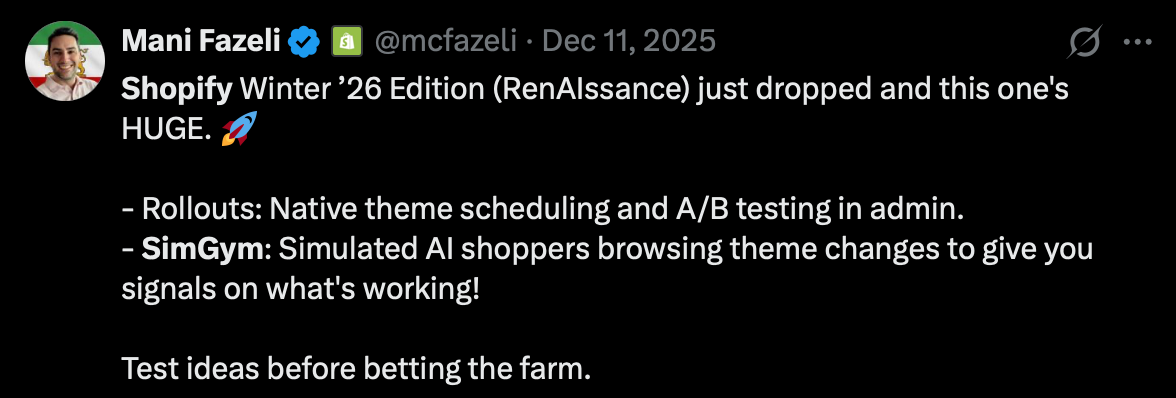
The truth is more nuanced. Rollouts helps you stage theme changes and split traffic , and SimGym lets you run an AI simulation of a redesigned storefront , but neither tool absolves you of the need to understand your customer and build a testing plan.
As someone who has used SimGym and spent time testing it on a live Shopify store, I can tell you that the tool’s perspective is narrow and its use cases are limited. This article will unpack that experience, explain why strategy comes first, and show you how to incorporate tools without getting lost in the hype.
Strategy First, Tools Second
There is a reason so many stores fail despite the abundance of apps. Several studies suggest that 80% to over 95% of Shopify stores fail within the first two years. CRO begins with understanding why people buy your product and why they do not. That requires research, interviews, analytics and a clear hypothesis.
Heat maps, session recordings and A/B tests can help you collect data, but you still need to interpret the data and come up with a strategy. Shopify’s own enterprise blog notes that CRO tools complement the platform’s builtin analytic to uncover optimisation opportunities.
Native Shopify CRO Tools
Rollouts: Safe Deployment, Narrow Scope
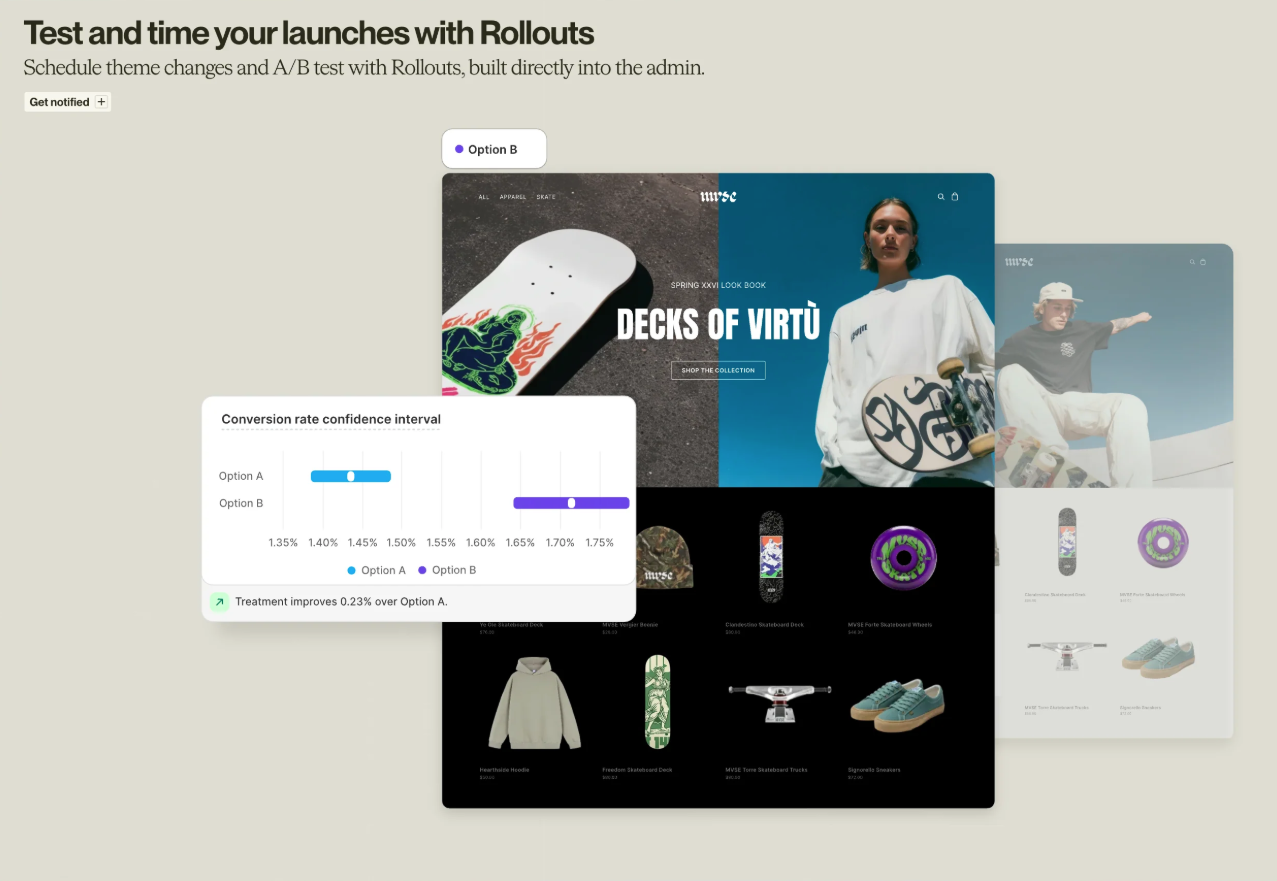
Rollouts is Shopify’s native testing feature that you can access directly from the theme editor. It allows you to stage changes to your online store, control what percentage of visitors see them and schedule when they go live. Our good friend, Trina Moitra, from Convert gives a simplified difference between Rollouts and A/B testing:
“Rollouts are for already-validated products & ideas. A/B testing is about probing assumptions, about questioning the intent to “spend & build”, and about learning what works for diverse audiences.”
The user interface is straightforward: you create a rollout, choose a name and move a slider to decide how much traffic gets the new variant. Starting at ten per cent is wise because you limit exposure while gathering data. If performance improves or holds, you can scale to twenty‑five or fifty per cent. If it falls, you stop the rollout and revert. That is safer than publishing a new theme to your entire audience.
However, Rollouts can only validate theme‑level changes. It does not adjust product pricing, merchandise rules or app embeds. It does not allow you to target specific segments, set custom goals or run multivariate tests. Those are serious limitations.
For merchants with high traffic who already use advanced testing platforms like Convert.com, Rollouts adds little value beyond acting as a safe deployment tool. For smaller stores with insufficient data to run a statistically significant test, a live A/B might be pointless anyway. You are not going to get meaningful results if you only receive a few hundred sessions per variation. Rollouts solve a narrow problem, deploying theme changes safely, and nothing more.
SimGym: AI Simulation and Its Limits
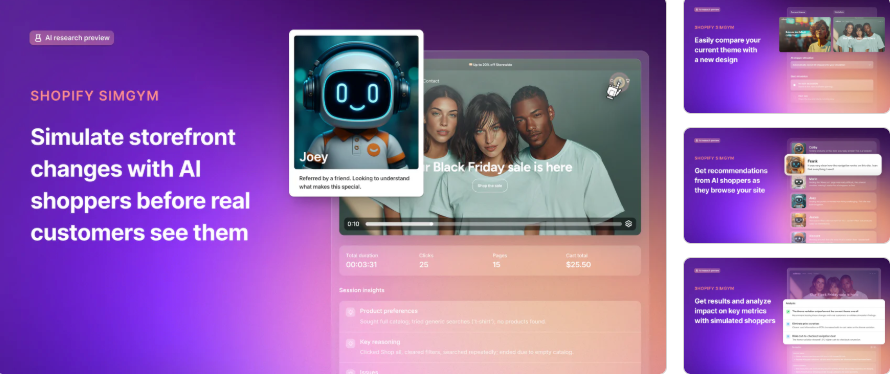
SimGym is the more hyped of the two native tools. Shopify describes it as an AI storefront simulation that allows brands to test redesigns before real customers see them.

The idea is appealing: you run a simulation of your current theme and the variant, and AI shoppers navigate them, adding items to cart and reporting friction. SimGym then gives you a directional signal about which version is better.
This promise fits into a narrative that you can bypass the need for traffic and still get actionable CRO insights. It sounds too good to be true because, for the most part, it is.
When I used SimGym in a live store, I approached it with curiosity and skepticism. We were planning a significant navigation overhaul that would reorganise product categories.
We set up two simulations: one for the existing navigation and one for the proposed structure. SimGym’s AI shoppers quickly flagged that the new structure required extra clicks to reach certain collections. It marked this as friction and predicted a lower add‑to‑cart rate. We also tested a redesigned product page with a larger hero image and fewer specifications. The AI shoppers barely noticed the difference. They moved to the cart at almost the same rate as they did on the original. On the surface, the tool was telling us not to change the navigation but to go ahead with the design tweak.
The problem emerged when we ran a real A/B test on the navigation change using a dedicated platform. The live test showed that users actually found the new navigation easier. They spent more time browsing categories because the grouping made more sense. Conversion rates were slightly higher, not lower.
The reason?
SimGym evaluates usability and functional friction, not how users engage with your content or interpret messaging. It simulates click patterns but does not consider whether your new categories match how customers think about your products. In our test, the AI shoppers cared only about the number of clicks, not the cognitive load of scanning long lists. Real humans appreciated fewer categories and more intuitive groupings. The AI missed that nuance.
We saw a similar disconnect on the product page test. The AI’s indifference came from the fact that both pages had a visible add‑to‑cart button and similar functional paths. In the live test, however, the larger image (and fewer specifications) improved engagement and conversion because it showcased the product better.
Again, SimGym could not account for the emotional impact of imagery or copy. It only understands tasks. This limitation makes sense when you realise that SimGym’s AI shoppers are trained on behaviour patterns from billions of transactions . They are excellent at identifying navigational friction but blind to storytelling, design aesthetics or brand voice. They cannot tell you whether your headline resonates or whether your pricing feels fair. They only know if the path to the cart is clear.
Minimal Use Cases for High‑Traffic Brands
If you run a Shopify Plus store with hundreds of thousands of monthly visitors, the idea of using SimGym might seem redundant. You already have enough traffic to run live A/B tests that measure actual user behaviour.
In fact, as soon as a store has the volume to reach statistical significance in days or weeks, simulated results become irrelevant. Our live tests showed that AI predictions can be off by several percentage points. For large brands, that margin of error translates to thousands of dollars.
SimGym is not designed to help you optimize micro‑conversion rates at scale. Its value is directional, and it shines when traffic is scarce. For high‑traffic merchants, the only plausible use is as a pre‑screening tool: if a simulation shows catastrophic friction, do not waste developer time building it. Otherwise, plan to test with real visitors.
Using CRO Tools to Improve Your Intra‑Site Funnel
Most merchants treat conversion rate as a single number. It is not. It is the compound result of several behaviours like a visitor landing on your site, viewing a product, adding it to the cart, starting checkout and completing the purchase.
90.6% of Shopify stores do not move visitors through these stages efficiently. This is why generic conversion advice fails. The truth is you cannot optimize a broad metric without knowing which step is broken. The solution we use is an intra‑site funnel analysis.
We break your store into four steps (landing to product view, product view to add to cart, add to cart to begin checkout, begin checkout to purchase) and set target ranges for each.
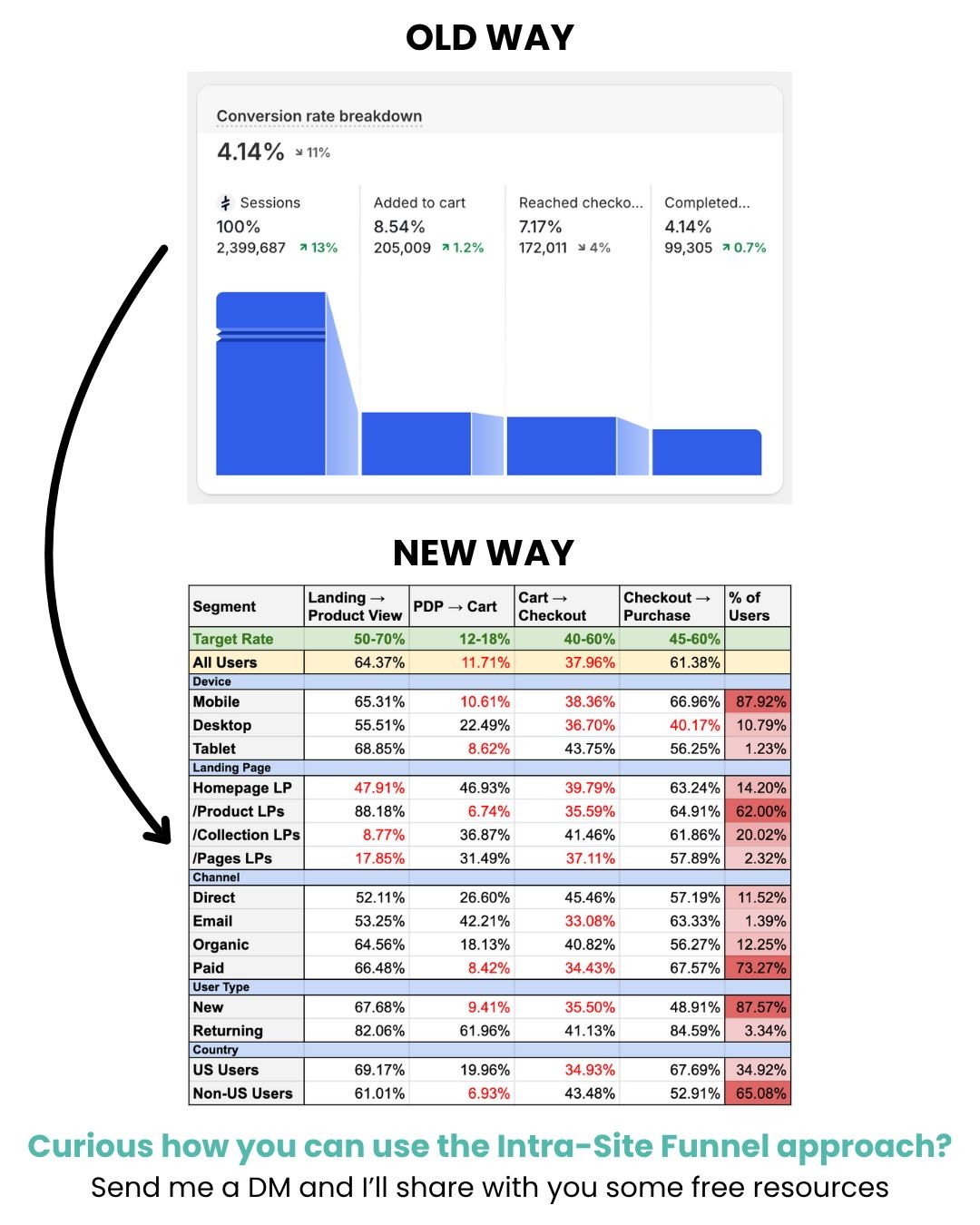
If your numbers fall below the target, that step is your metric on fire. You focus on it until the fire is out, then move to the next bottleneck.
The intra‑site funnel is a discipline, not a hack. You isolate the biggest problem (the metric on fire) and address it systematically. We use heat maps, session recordings and analytics to identify friction. We use customer research to inform copy and design. We use A/B testing tools to validate changes when you have enough traffic.
For stores with few sessions you can rely on directional signals and wait for real sales data before declaring success. Personalisation, cross‑selling and urgency tools come after you fix your bottlenecks. They enhance performance, not replace strategy. Tools like SimGym and Rollouts are optional; they provide directional guidance and safe deployment, but only a comprehensive approach that connects research, testing and funnel analysis will move the needle.
When to Use SimGym and When to Avoid It
SimGym is most useful in three scenarios:
- Pre‑launch validation for low‑traffic stores. If you are switching from a free theme to a premium theme and you lack the traffic to run a live A/B test, a SimGym simulation can surface obvious usability issues. It will show you if AI shoppers struggle to find a product or get stuck in navigation. That saves you from launching an unusable layout.
- Idea screening for growth‑stage merchants. If you have moderate traffic but not enough to test every idea, use SimGym as a filter. Run a simulation on radical design changes. If the tool reports severe friction, scrap the idea. If it looks promising, queue it for a live test. This saves development time and allows you to focus on variations likely to perform.
- Rapid experimentation in early prototyping. SimGym’s ten‑minute simulations enable quick iterations. You can test three or four layout options in an hour and see which one navigates more smoothly. This is valuable when you are still designing in Figma and want to get an early signal. Keep in mind that the signal is about usability and nothing more.
Avoid SimGym when:
- You have high traffic and can run live A/B tests. Real data is always better.
- Your changes involve copy, pricing or marketing messages. The tool cannot evaluate emotional resonance or value perception.
- You expect a detailed report on why conversions will change. SimGym offers directional insights, not a breakdown.
Conclusions: There Are No Shortcuts
Our experience with SimGym reaffirmed a core principle: there are no shortcuts in CRO. The tool helped us spot a friction point in a navigation redesign, but it missed the customer perception improvements that made the new design perform better in reality. It flagged nothing on the product page redesign, yet the live test showed a significant lift. SimGym’s perspective is limited to usability and functionality; it is blind to storytelling, perception and brand fit. Rollouts provides a safe way to deploy theme changes, but it does not replace a proper A/B testing platform or a structured experimentation process. Best CRO tools should support your strategy, not define it.

%201.svg)
